The AI Tools Landscape: Practical Use in January 2026
The AI tools market is loud, fast, and allergic to restraint. Every week there’s a new “game-changer,” and somehow you’re expected to adopt it immediately or risk falling behind.
That framing is the problem.
Most businesses don’t fail with AI because they chose the wrong tool. They fail because they chose tools without first deciding what job needed doing.
This article is a practical map of the current AI landscape, organized by function, with decision factors that actually matter. Not endorsements. Not hype. A way to think clearly so your stack helps instead of hinders.
The Core Categories (What AI Is Actually Good At)
Almost every AI product on the market falls into one or more of these buckets:
1. Language & Reasoning (Text In / Text Out)
Used for writing, summarizing, planning, coding help, ideation, and analysis.
Examples:
ChatGPT – https://chatgpt.com
Gemini – https://gemini.google.com
Claude – https://www.anthropic.com/claude
Strengths
Fast ideation and drafting
Pattern recognition across messy inputs
Explaining or reframing complex topics
Limitations
Can hallucinate if you don’t provide guardrails
Not a source of truth
Output quality depends heavily on prompt quality
Decision factors
Context length (how much info it can “see” at once)
Reasoning quality vs speed
Data privacy and usage policies
2. Research & Knowledge Synthesis
Used to ground AI outputs in real documents and reduce hallucination.
Examples:
NotebookLM – https://notebooklm.google.com
Perplexity – https://www.perplexity.ai
Strengths
Ties answers to source documents
Good for policy, legal, technical, or academic material
Transparent citations
Limitations
Less creative
Narrower use cases
Depends on the quality of the source material you provide
Decision factors
Citation transparency
Ability to upload or link your own documents
Update cadence of indexed sources
3. Image & Visual Generation
Used for covers, thumbnails, social images, concept art, and mockups.
Examples:
ChatGPT Images – https://chatgpt.com/images
Gemini Image Generation – https://labs.google
Midjourney – https://www.midjourney.com
Strengths
Removes design bottlenecks
Rapid iteration
Useful for testing visual direction before paying a designer
Limitations
Inconsistent typography
Brand consistency requires strong prompts
Not a replacement for final production in regulated contexts
Decision factors
Control over style consistency
Text rendering quality
Commercial usage rights
4. Automation & Workflow
Used to connect tools, trigger actions, and reduce manual steps.
Examples:
Zapier – https://zapier.com
Make – https://www.make.com
N8N – https://n8n.io
Native automation inside platforms (CRMs, marketing tools, etc.)
Strengths
Eliminates repetitive work
Enforces consistency
Scales processes without hiring
Limitations
Breaks quietly when poorly designed
Over-automation creates fragility
Requires documentation to be sustainable
Decision factors
Error handling and logging
Human override points
Long-term maintainability
5. Vertical or “All-in-One” Platforms
Used to consolidate multiple functions under one roof.
Examples
CRMs with AI features
Marketing platforms with built-in automation
Content systems with publishing pipelines
Strengths
Fewer integrations
Lower cognitive load
Easier training for teams
Limitations
Rarely best-in-class at everything
Vendor lock-in risk
Feature bloat
Decision factors
Coverage of your core workflows
API access and data portability
Total cost of ownership, not sticker price
The Real Decision Framework (What to Ask Before You Choose)
Before adding any AI tool, answer these in order:
What specific task is this replacing or accelerating?
If the answer is “being creative” or “saving time,” stop and get more specific.Who owns this output?
A tool without an owner creates mess, not leverage.What breaks if this tool disappears tomorrow?
If the answer is “everything,” you’ve centralized risk.Does this reduce or increase context switching?
Switching tools kills more productivity than slow tools.Can this be documented and handed off?
If not, it’s a personal productivity hack, not a business system.
Why Tool Hoarding Backfires
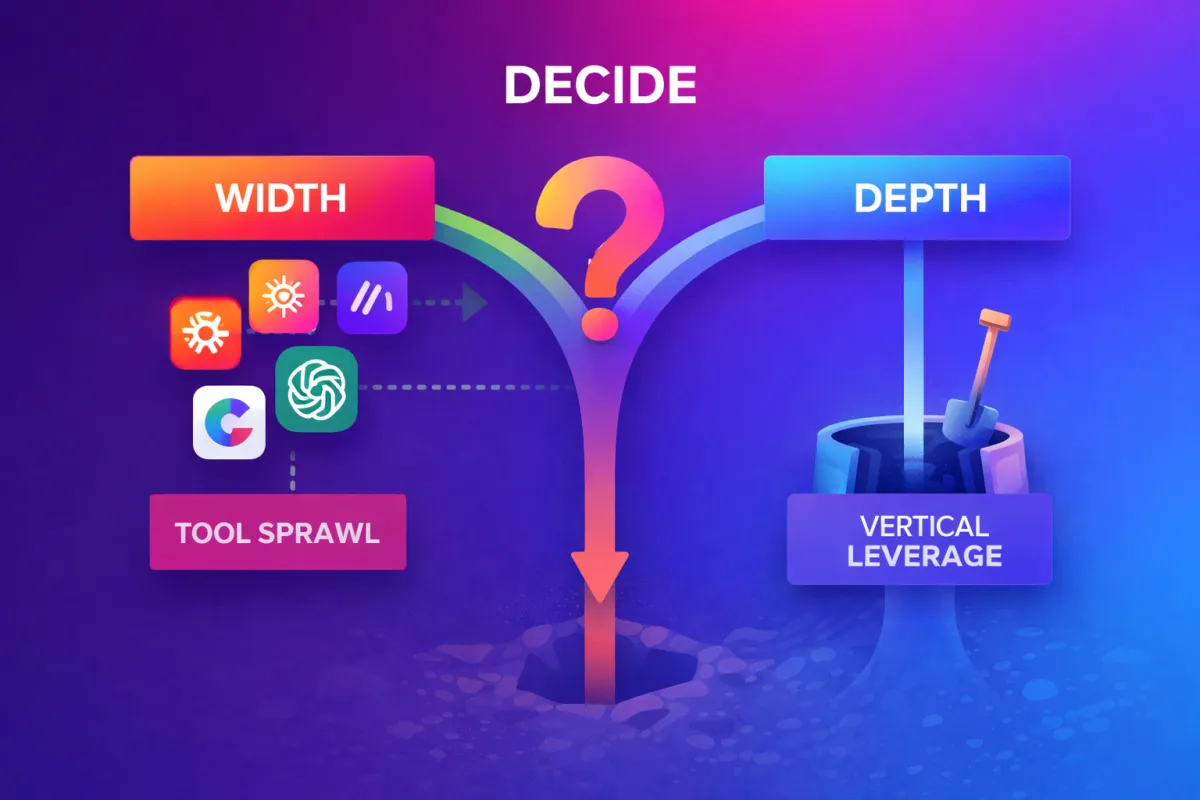
Most stacks fail because they grow horizontally instead of vertically.
Horizontal growth = more tools doing overlapping things
Vertical depth = fewer tools, used well, with clear ownership
AI amplifies both outcomes. It can compress work dramatically, or it can create a brittle maze of half-used features.
The difference isn’t intelligence. It’s architecture.
A Note on “Staying Current”
This article is a snapshot by necessity. The tools will change. The categories won’t.
If you understand:
what kind of work you’re delegating,
where accuracy matters more than speed,
and where systems beat cleverness,
you’ll adapt faster than someone chasing features.
PS: How This Applies to GoHighLevel
If you’re on GHL, the same rules apply. The platform can act as:
a consolidation layer for CRM, messaging, and automation,
a delivery system for AI-assisted workflows,
but only if you design it intentionally.
Treating GHL as “the tool that does everything” creates the same problems as any bloated stack. Treating it as infrastructure that reduces tool sprawl is where it shines.
Same principle. Different container.
Want help setting up, customizing, or maintaining your business → client ecosystem using Atlassian or GHL? Check out our Store for available services.
